

The agent harness performance optimization system. Skills, instincts, memory, security, and research-first development for Claude Code, Codex, Opencode, Cursor and beyond.
Dagu
Self-hostable workflow orchestrator for teams whose main work isn't orchestration. Declarative YAML over your scripts, SSH commands, containers, etc; keep workflows separate…
Install
$
brew install daguInstall command taken from the project's README or registry entry. Always review code before running it.
README excerpt
Read full README on GitHub →Docs · CLI · API · Examples · Live demo (username/password: demouser) · Discord
Dagu
Dagu is a local-first workflow engine for operations and internal automation. It is open source and self-hostable: a single binary with a built-in Web UI, no external database or message broker, running on Linux, macOS, and Windows. Define DAGs in a declarative YAML format. It natively supports shell commands, Docker containers, Kubernetes Jobs, remote commands via SSH, and more through Dagu Actions.
Dagu turns existing scripts and runbooks into production workflows with scheduling, retries, human tasks, and run history. It runs where your data and credentials live: on-prem, air-gapped, edge, or cloud, and scales from a single node to a fleet of workers.
Highlights:
- Single binary installation.
- Self-contained: no external DBMS or message broker required.
- Runs on Linux, macOS, and Windows.
- Declarative YAML format for defining DAGs.
- Run existing shell commands, Docker containers, Kubernetes Jobs, and remote commands over SSH without modifications.
- Compose reusable Sub-DAGs and run work in parallel with concurrency controls.
- Schedule workflows with cron syntax, timezones, overlap policies, and catch-up windows.
- Keep logs, run history, retries, notifications, and webhook triggers in one place.
- Built-in MCP server for inspecting workflows and runs, maintaining Wiki pages, applying changes, and controlling runs.
- Optional monitoring in Dagu Console: every server's runs and trends in one place, and an email when a workflow fails or a server stops reporting. Opt-in, outbound HTTPS only, metadata only.
Quick Look
For a quick look at how workflows are defined, see the examples.
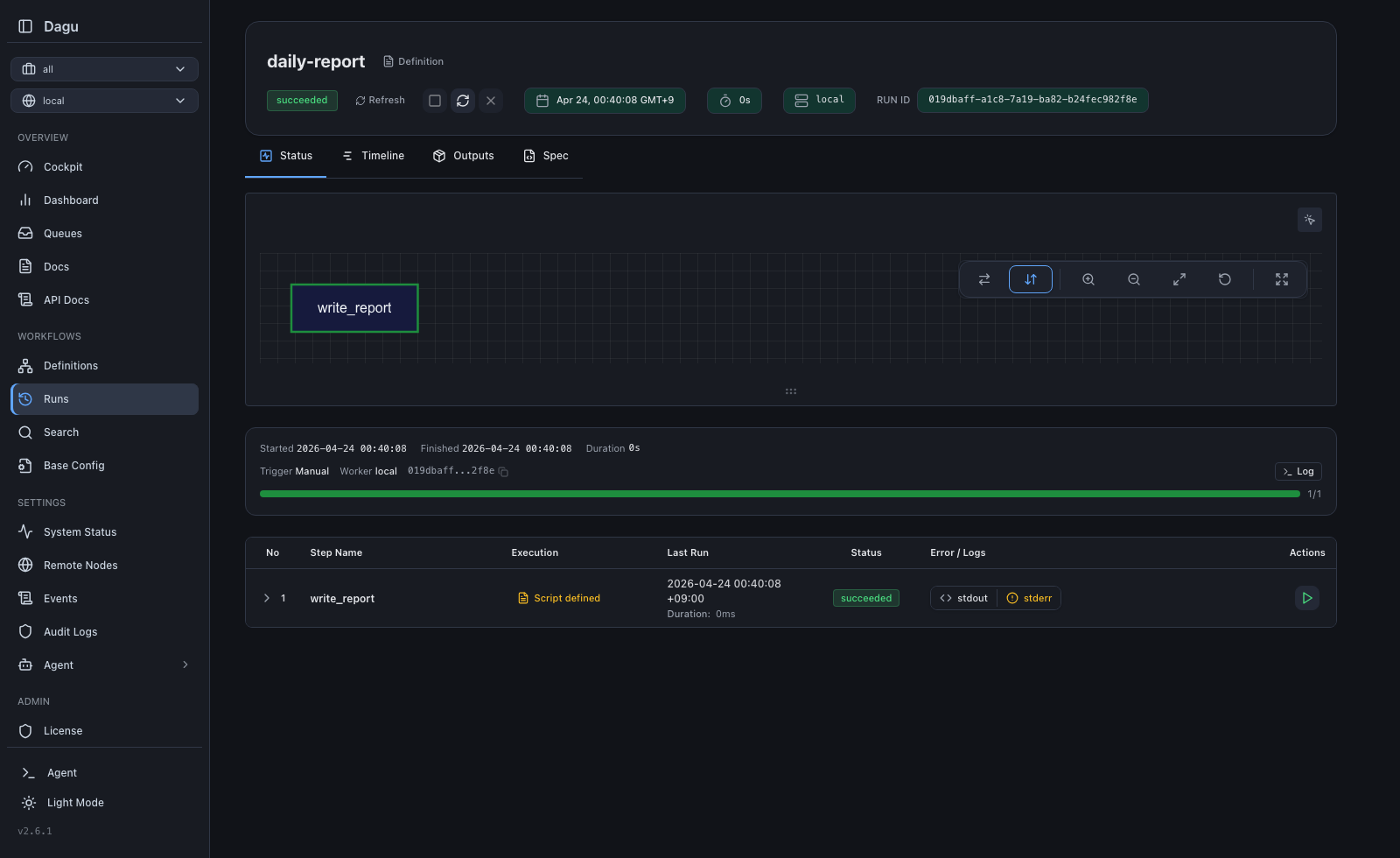
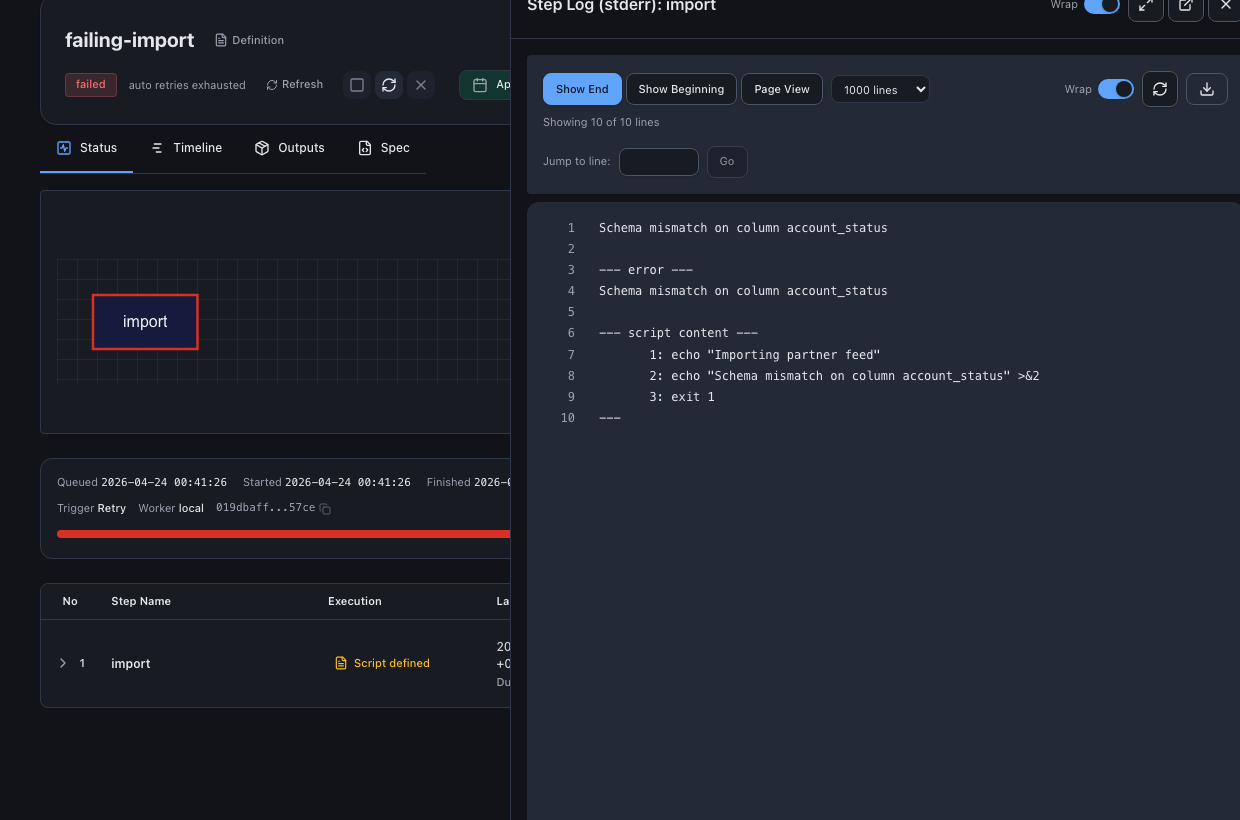
| Run Details | Step Logs | Wiki |
|---|---|---|
 |
 |
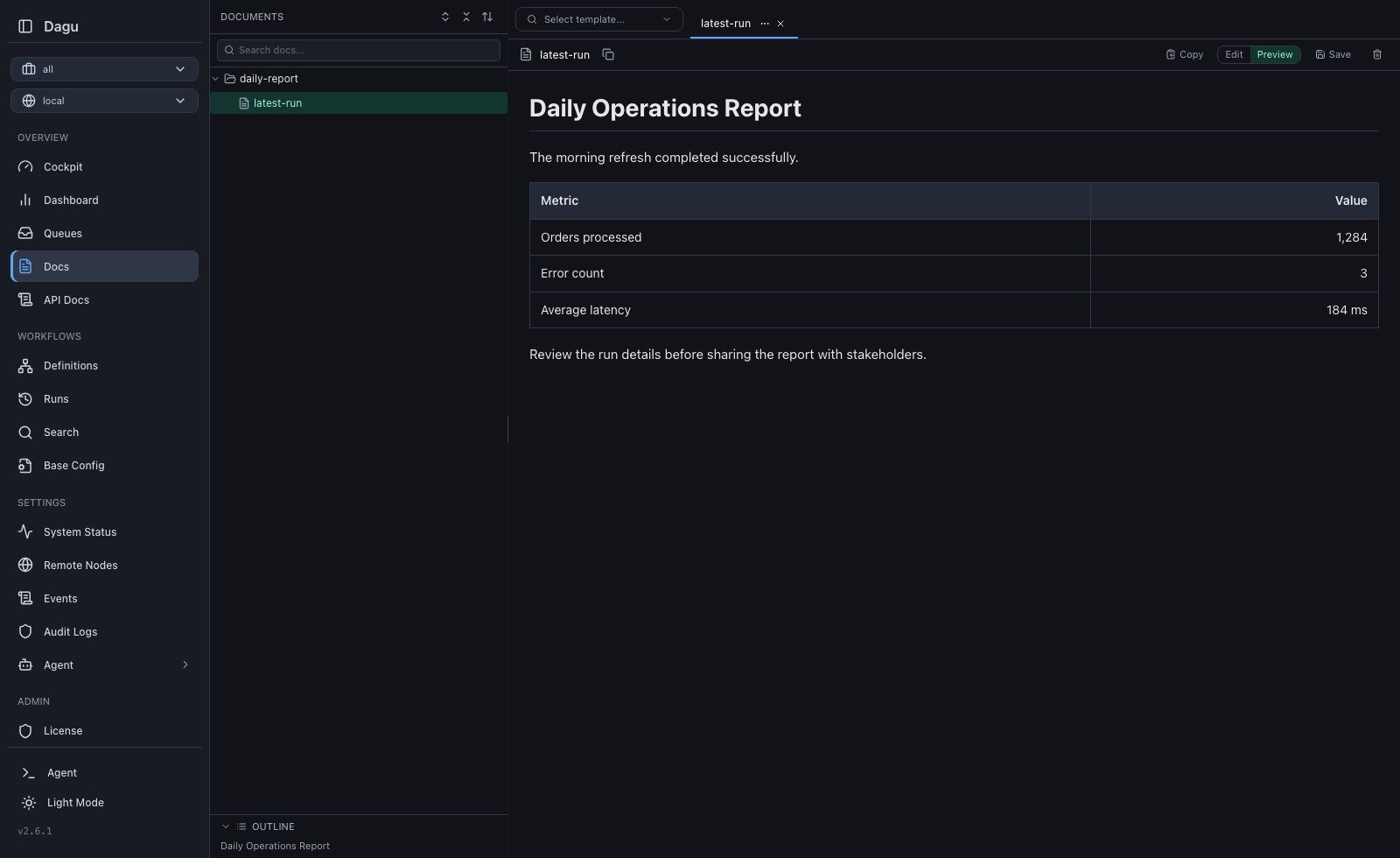 |
Try it live: Live Demo (credentials: demouser / demouser)
Why Dagu?
Orchestration is not your main work. You have scripts and containers that already work. You want a schedule, retries, dependencies, and a place to see logs. The usual options each have a cost:
- cron runs commands, but gives you no dependencies, no retries, no history.
- Airflow orchestrates, but you operate a platform for it (scheduler, metadata database, workers, a Python environment), and your jobs get rewritten as
@dag/@taskframework code. - Temporal gives durable execution, but your business logic moves into its SDK and programming model.
You wanted to schedule some jobs. Now you operate a second system, and the orchestrator lives inside the code it was supposed to serve.
Dagu treats workflow structure as configuration, not code. Order, dependencies, retries, schedules, and human tasks go in one YAML file next to your scripts; the engine that runs them is a single process:
Similar plugs

Reverse engineer anything with agents, from app behavior down to native binaries.


Build Agentic workflows, RAG pipelines, with rich AI model and tool support on one collaborative workspace. Deploy on cloud, VPC, or self-hosted, so teams move from prototype…

User-friendly AI Interface (Supports Ollama, OpenAI API, ...)

A cross-platform desktop All-in-One assistant for Claude Code, Codex, OpenCode, OpenClaw, Grok Build & Hermes Agent. Only official website: ccswitch.io