
Install
git clone https://github.com/apistol78/traktorInstall command taken from the project's README or registry entry. Always review code before running it.
README excerpt
Read full README on GitHub →

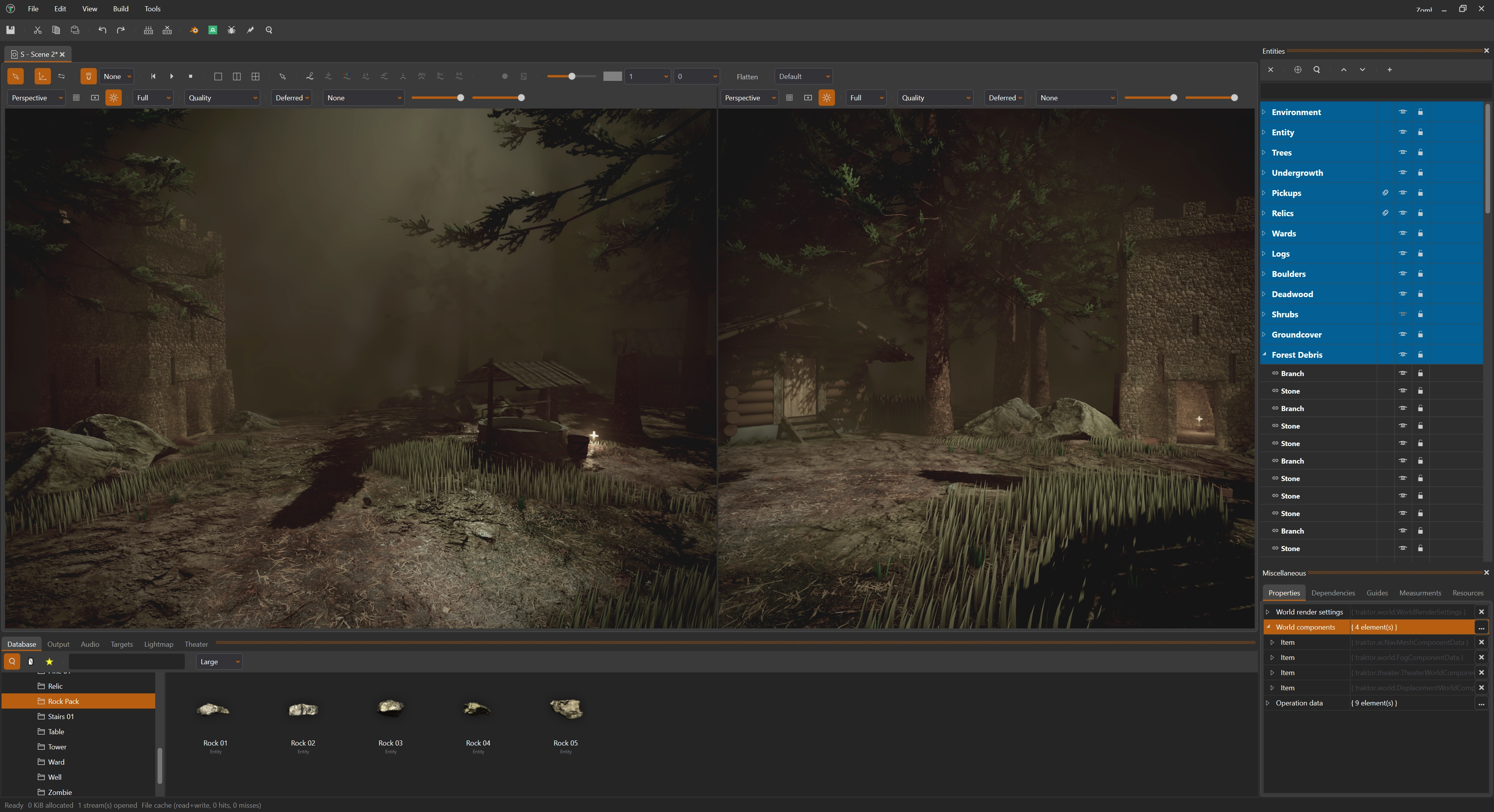
Traktor is an open-source 3d game engine written in C++, it has powered several successful commercial titles across various platforms including Steam, PSN, iOS, and the Mac Store.
Why?
Traktor isn't just another game engine; it's a meticulously crafted toolkit designed for optimal performance and flexibility. Here's why it stands out:
Lean and Well-Designed: Each module boasts clean responsibilities, ensuring an elegant and efficient codebase.
Minimal Footprint: Traktor prioritizes low memory and storage usage, ensuring streamlined performance.
Optimized for Efficiency: Utilizing modern rendering techniques and efficient algorithms, Traktor delivers exceptional performance.
Tailored Flexibility: Unlike bloated, one-size-fits-all engines, Traktor is customizable to fit the unique needs of every project.
Supported platforms
Traktor currently offers full support for Windows and Linux platforms. While mobile versions for Android and iOS are available, they are not officially tested but are regularly updated to maintain compatibility.
Prebuilt binaries
See releases for prebuilt binaries.
A nightly release is built automatically from master every night and contains:
- Traktor-nightly-win64.msi: Windows installer.
- Traktor-nightly-win64.zip: Windows portable archive.
- Traktor-nightly-linux-x64.tar.gz: Linux x64 portable archive.
Only the latest successful nightly is kept, so the releases page always offers a current build. Note that these are untested automated builds of the release configurations; if you need a specific fix, or want to follow development closely, we still recommend building the engine from source.
How to build
Linux: Refer to Build Linux for detailed instructions.
Windows: Follow the guidelines outlined in Build Windows for seamless setup.
Features
Editor
- Feature rich editor and tools, editor first class priority.
- One-click deploy, run and debug on any connected target.
- Active connection and hot reloading of assets to all launched games regardless of target platform.
- Clean separation of editor code, easy to add new editors etc.
- Undo/redo, localization, themes etc.
- Formalized pipeline/flow to cook assets to runtime optimized data; highly parallized and easy to add new pipelines.
- Quick iterative build times, only build and reload modified assets.
- Light, dark and more themes, easily customizable.
- Built in MCP server for AI integration. Able to create, query and update all assets (shader graphs, entities, scenes, textures etc) exposed in the project's database.
Rendering
Similar plugs


LocalAI is the open-source AI engine. Run any model - LLMs, vision, voice, image, video - on any hardware. No GPU required.

Mastra is the modern TypeScript framework for AI-powered applications and agents.

YC (S26) | Open Computer History | Continuously record your company computer work, map your workflows, help you find work worth automating, and power your agents' context

Open-source speech recognition toolkit for training, inference, streaming ASR, VAD, punctuation, speaker diarization pipelines, and OpenAI-compatible/MCP serving.
